Introduction
The Challenge: Why do we quit what we start? We live in the golden age of self-education, yet completing a course or mastering a new hobby remains incredibly difficult. The enthusiasm is there, but the structure is missing.
The Solution: SkillTrack is a mobile learning companion designed to fix the consistency gap. By combining habit-tracking mechanics with gamification, it turns the chaotic process of self-study into a rewarding, structured journey.
Research & Discovery
Understanding the Learner’s Struggle: I kicked off the project with a simple question: What stops people from learning? Through a mix of surveys and 1:1 interviews, I dug into user habits.
The data revealed a clear pattern: motivation isn’t the problem consistency is. Users felt overwhelmed by unorganized resources and lacked the immediate feedback loops that make learning addictive.
Defining the Users: To keep the design focused, I synthesized my research into two core personas:
- The Career Climber: Needs efficiency and measurable progress to upskill for work.
- The Curious Learner: Needs a fun, low-pressure way to explore creative hobbies.
Despite their different goals, both needed the same thing: accountability.
Information Architecture
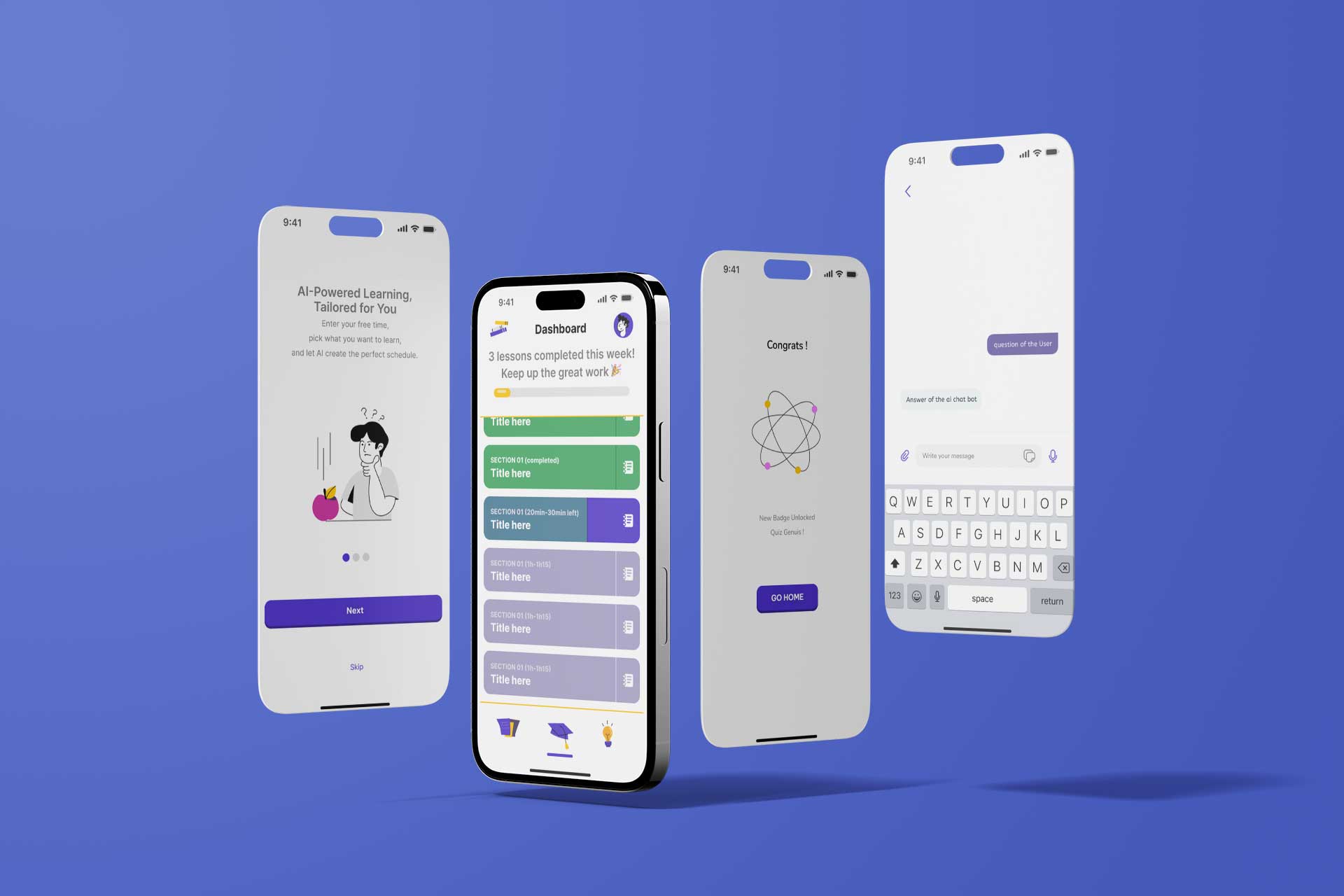
Building a Structure that Makes Sense: I organized the app to minimize cognitive load. The architecture centers around the Home Dashboard a single source of truth where users can see their daily tasks and progress at a glance.
Surrounding this are the Learning Hub (where resources live) and the Profile (where achievements are celebrated).
User Flows
Mapping the Happy Path: Before opening my design tools, I mapped out the critical journeys. My goal was to remove friction between "opening the app" and "learning." The flows below visualize the onboarding process and the core "Daily Check-in" loop.
Flow 1: Onboarding and Schedule Creation
Flow 2: Learning and Quiz Progression
Flow 3: Getting Help from the AI Chatbot
Visual Strategy & Localization
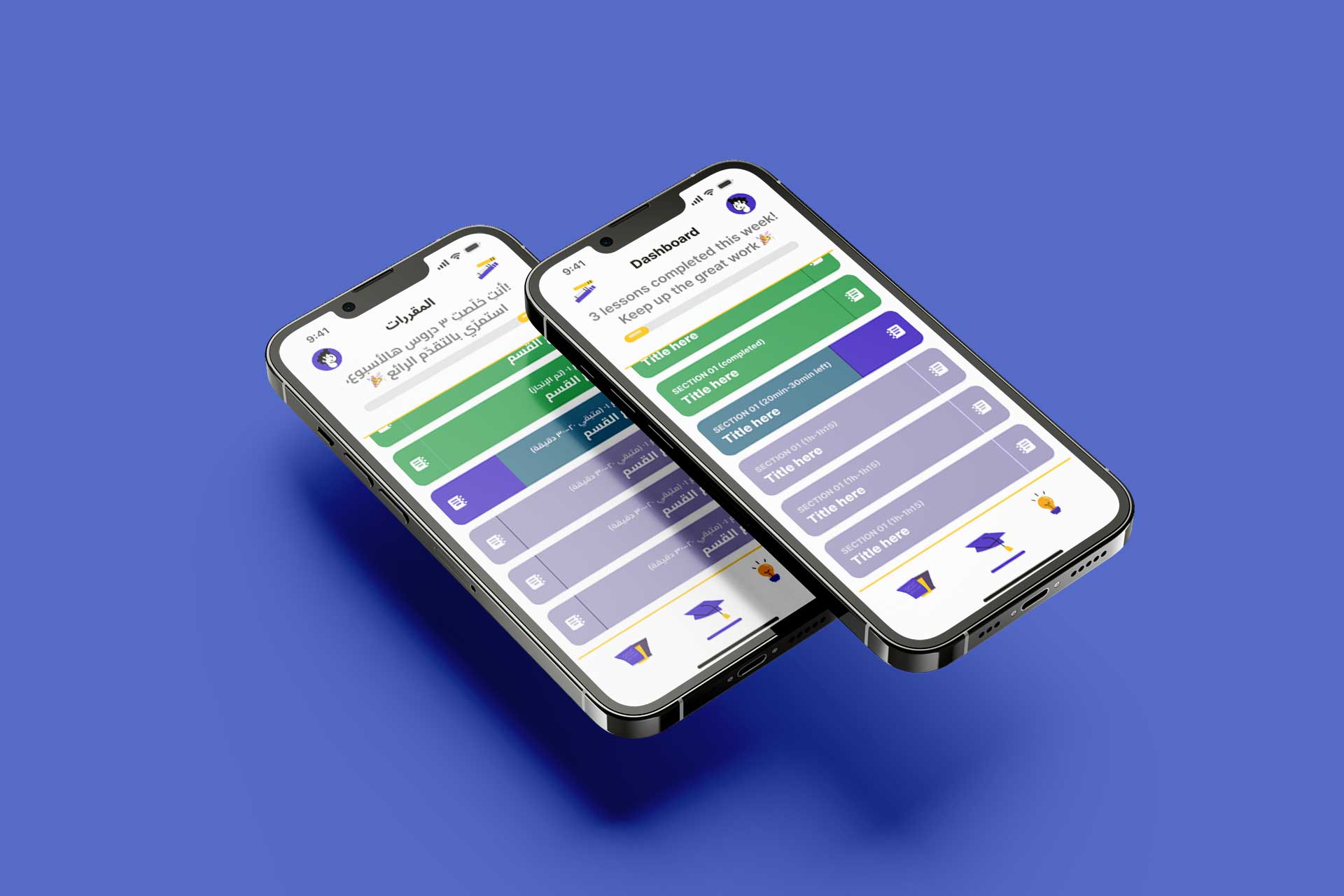
Designing for Global Users (LTR & RTL): SkillTrack is designed to be accessible in both Left-to-Right (English) and Right-to-Left (Arabic/Hebrew) languages. However, I avoided blindly mirroring every single element.
The Strategy: Adaptive Content, Fixed Navigation: While I mirrored the visual flow of text, progress bars, and directional icons to match the natural reading order of RTL users, I made a strategic decision to keep the Bottom Navigation consistent in both versions.
Why? To preserve muscle memory. The thumb learns where key actions live. By anchoring the core navigation in the same spot, I ensure that the physical interaction remains familiar, even if the language settings change.
Prototyping & Interaction Design
Reflections
What I Learned: SkillTrack taught me that gamification is a delicate balance. It’s not just about slapping badges on a screen; it’s about creating meaningful feedback loops that make the user feel accomplished.
Next Steps: If I were to continue developing this product, I would introduce Social Accountability features. Allowing users to share milestones with friends could be the final piece of the puzzle to solve the motivation problem.

"Great research and plan You could have further elevated the interactions and wireframes."
.png)
.png)